Mind the Gap
The AI Built My CLI in 15 Minutes. I Needed Three Days to Own It

Last week, I spent three days doing something Codex could have done in 15 minutes.
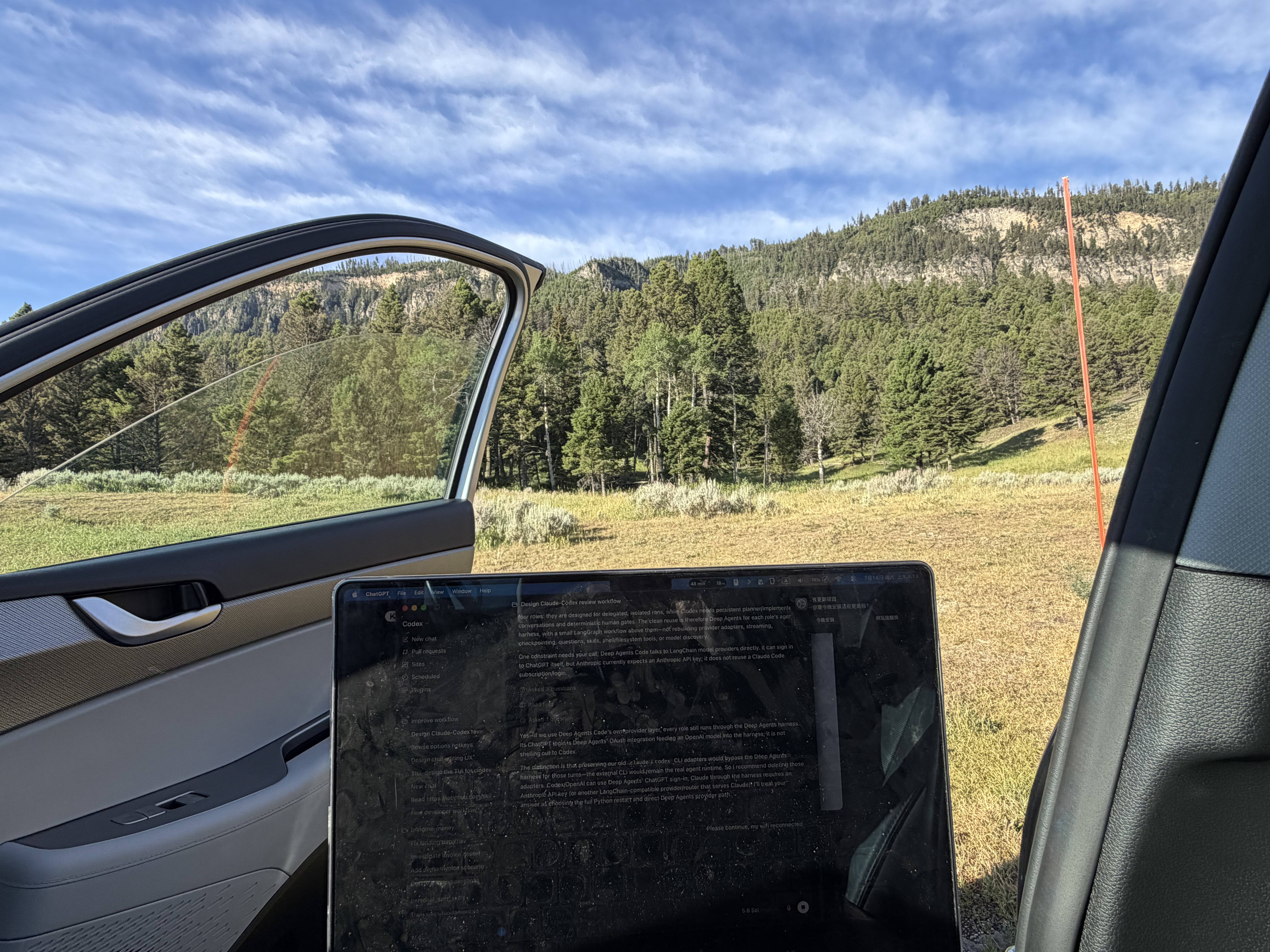
I was on vacation in Yellowstone National Park, which meant long car rides between destinations, mountains and wide open plains outside the window, and a Wi-Fi connection bad enough that learning how npm packaging worked became one of my most reliable forms of entertainment. I had been working on Echoes Report, a local web app that reads my AI coding sessions and browser history, then turns the previous week into ideas for articles and LinkedIn posts. The app already worked on my laptop, but I wanted other people to be able to install it, run one command, finish a setup wizard, and get a local URL.
Codex could have built the release for me. But bored as I was, with an intermittent codex connection anyway, I only let it handle parts of the CLI and setup flow, and I kept the final npm packaging and publishing work for myself. Partly because publishing a package sounded interesting, and partly because I suspected there was a gap - a layer of Node development I had been skipping. I did not expect that layer to take three days to uncover.
It was all a loading screen
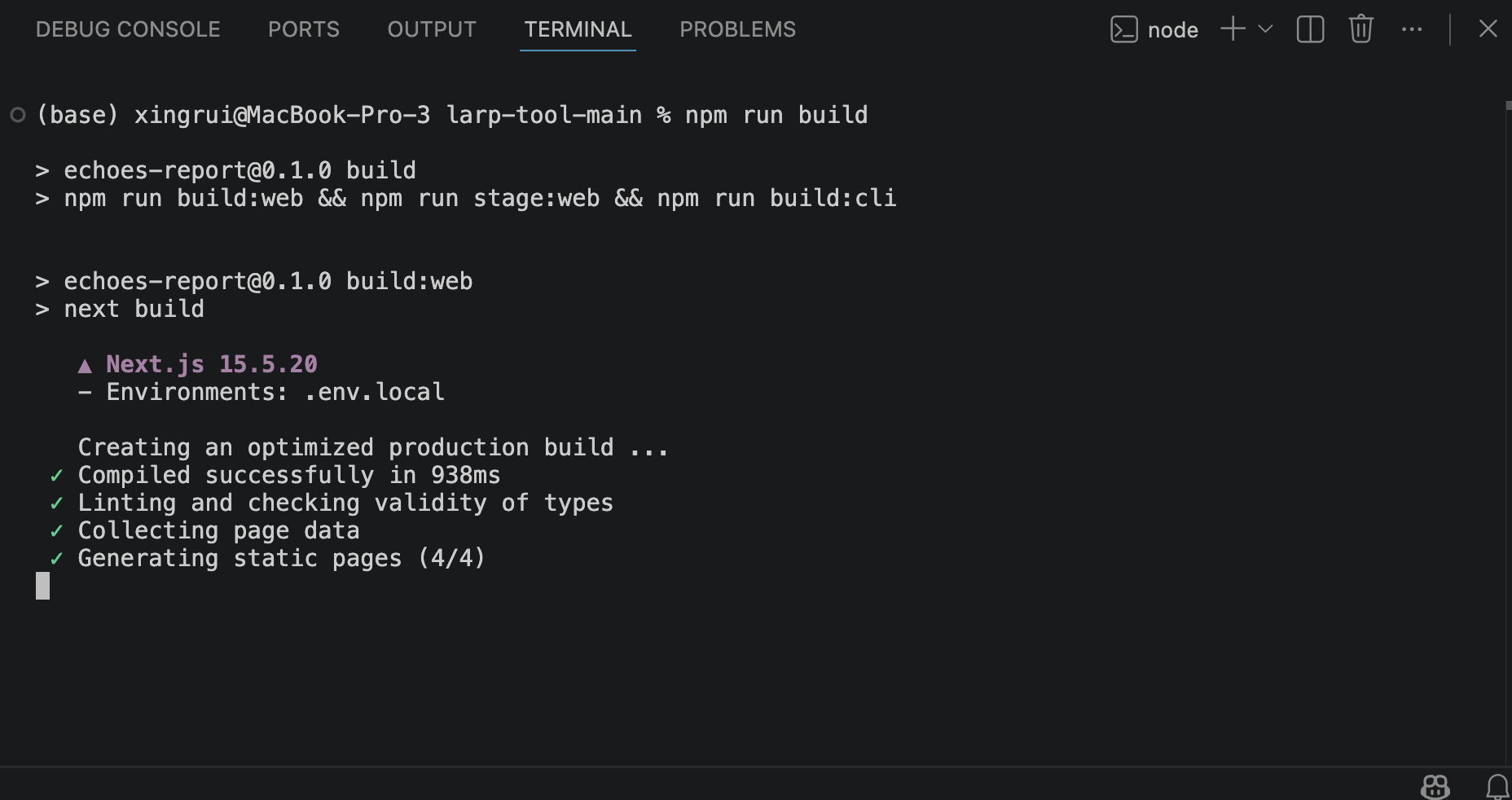
Before this, I had run npm run dev and npm run build plenty of times, but every time I watched the folders jump around in VS Code, as npm faithfully rebuilt something my AI coding agent had already verified, I mostly treated it like a loading animation. The command finished, the project worked, and I moved on without checking which folders appeared or what any of the generated files were for.
I understood the application itself reasonably well. I knew how Echoes extracted sessions, grouped activity, called an LLM, and displayed ideas, and I could usually describe the behavior I wanted well enough for an agent to implement it. The part I had never grounded myself in was everything between the source code and the thing another person could install.
I did not know what npm scripts actually invoked, which files belonged to me and which ones belonged to the build tools, why development and production needed different output, how an installed command found my code, or how a Next.js project became something that could run outside its original repository.
These questions had rarely stopped me from adding features, because whenever I needed to run the project, my coding agent told me which command to use. I was getting plenty of practice directing an AI coding tool, but much less practice understanding the build process underneath it.
Trying to make Node produce dist
My confusion started with a simple question: how do I make a production build that can ship inside an npm package?
Google told me that Next.js had a standalone output mode intended for production deployments, so I went ahead and toggled the output mode to standalone. That gave me a self-contained server under .next/standalone, along with several other generated folders that still did not resemble an npm package.
On the other end, Codex told me that dist was the industry-standard place for release artifacts. I then spent a completely unreasonable amount of time searching for how to make a Node build produce dist.
I was not asking the right question.
I expected dist to have some official meaning, as if npm would recognize the folder and know what to put there, but dist was only a convention. I could have named it build, output, or finished-stuff and npm would not have cared. The project's scripts had to decide what went into it.
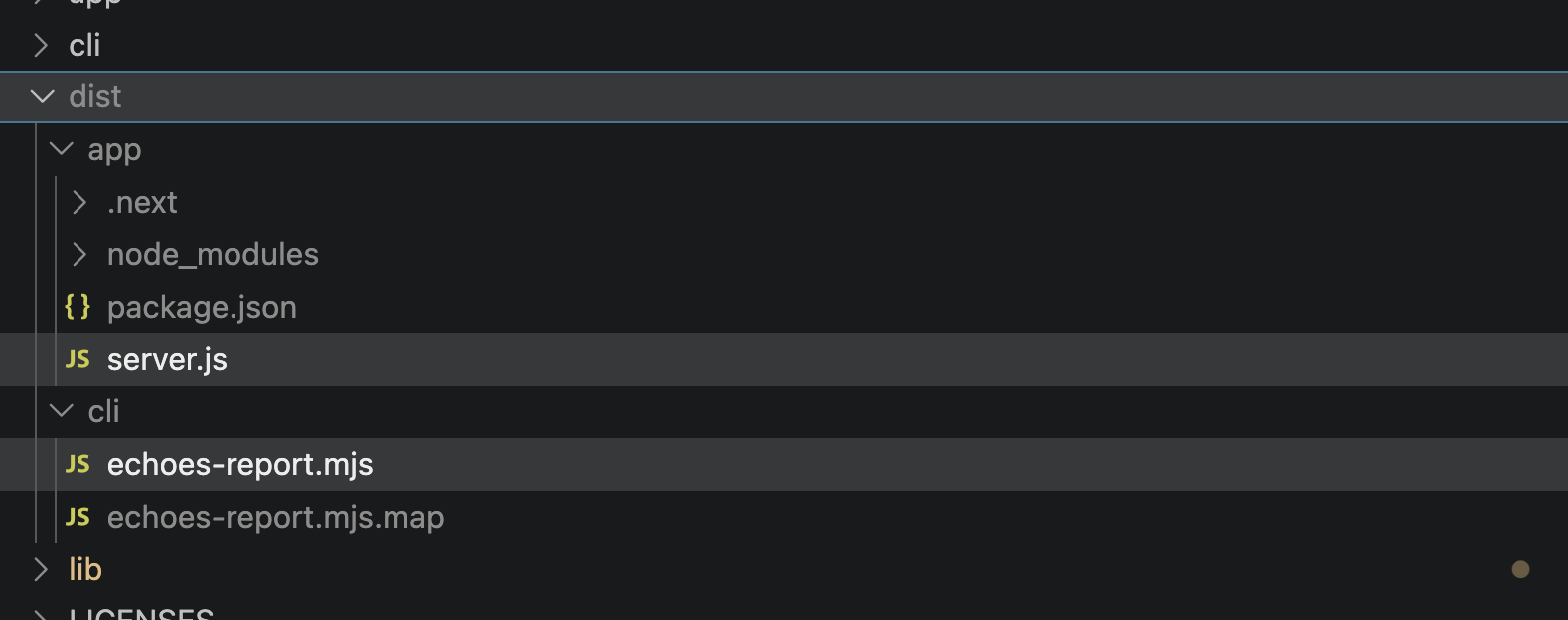
For a while, I thought I might need to put source files in dist, which produced a folder full of files that still depended on the rest of the repository and therefore solved nothing. Next.js had already generated a production server, but it lived under .next. My CLI still existed as TypeScript source. Static assets needed to sit beside the standalone server in specific locations. npm also needed a package entry point, licenses, documentation, and a list of files it was allowed to publish.
Once I stopped searching for the command that would magically create the correct folder, the actual job became much clearer: I needed to write a build process that assembled one.
Building the package
Echoes Report contains two programs that happen to ship together. The first is the Next.js web app. The second is the CLI that handles setup, starts the server, and prints its URL.
Their build paths now look like this:
Next.js source
    → next build
    → .next/standalone
    → staging script
    → dist/app

CLI TypeScript source
    → esbuild
    → dist/cli/echoes-report.mjs

dist/app + dist/cli + licenses + README
    → npm package
    → echoes-report command
    → local production server
Next.js produces the standalone server, but it does not arrange the entire npm package. I wrote a staging script that copies the server, its static files, and the project's public assets into dist/app. A separate build bundles the TypeScript CLI into dist/cli/echoes-report.mjs.
The bin field in package.json maps the installed echoes-report command to that bundled CLI file:
{
  "bin": {
    "echoes-report": "dist/cli/echoes-report.mjs"
  }
}
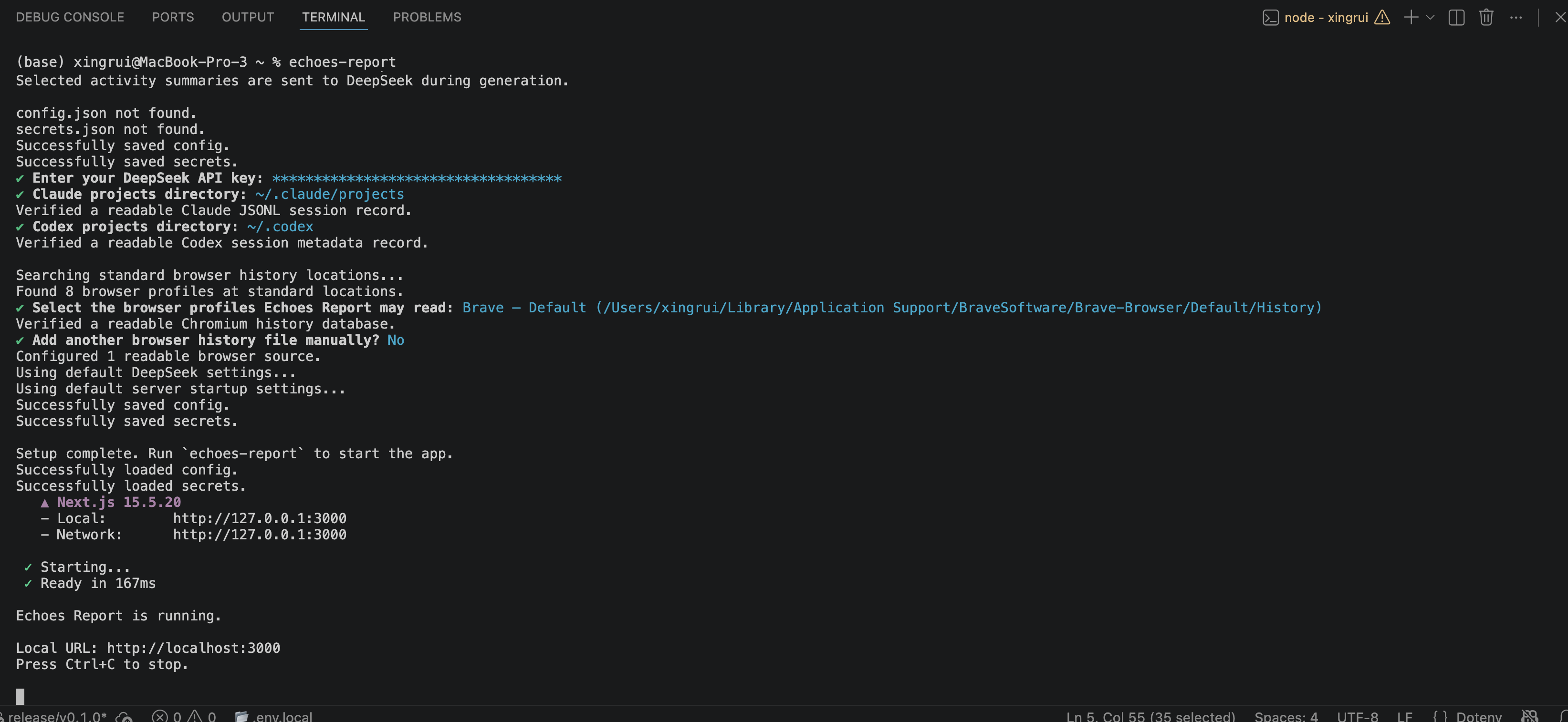
The CLI loads the user's saved configuration, checks that Echoes has access to the selected Codex, Claude, and browser-history files, starts the bundled Next.js server, waits for its health endpoint, and prints a URL such as http://localhost:3000.
The files field controls which parts of the repository npm includes in the published package. The build scripts decide what dist contains; npm decides which of those files reach the user.
None of these mechanisms were especially complicated once I understood their responsibilities. The difficulty came from trying to learn them while holding several incorrect assumptions at once, including the idea that Node had one standard build layout and the idea that Next.js standalone output was already a complete distributable package.
Following information through the app
By the third day, I could follow a value through the entire system instead of recognizing individual files without knowing how they connected.
During setup, Echoes asks where the user's Codex and Claude sessions live, discovers browser profiles, and checks whether it can actually read those files. It saves the answers in an application-specific directory, and when the user later runs echoes-report, the CLI reads that configuration and passes it into the production server through environment variables. The server then uses those values when extracting activity.
My understanding paid off almost immediately.
One of the saved config defaults was ~/.codex. The setup wizard accepted it, the configuration file contained it, and the server received it, but Node does not expand ~ the way a shell does. Echoes was faithfully trying to open a directory literally named ~, finding no sessions, and reporting zero sources.
Before understanding the flow, I would have seen "zero Codex sessions” and asked an agent to find the problem. This time, I could narrow it down myself: the setup wizard had found the right directory, the value survived configuration loading, and the failure appeared when the application treated that portable path as a filesystem path. The fix belonged at the boundary where configuration became a real path.
The same mental model gave every other failure a smaller search area. If the package omitted a file, I checked the staging script and npm manifest. If the installed command could not find the server, I checked the CLI bundle's path resolution. The folders had stopped being names I recognized from previous agent sessions and started becoming parts of a system I could navigate.
Small things I had never stopped to notice
Slowing down, many delightful little details became interesting too.
Most of my earlier programming experience came from writing C++ for VEX robotics, so seeing a value typed as string | null felt almost luxurious. A session directory either has a path or explicitly has no path, and TypeScript makes every consumer account for both cases. The uncertainty appears directly in the type instead of living in a comment or an assumption about some special value.
C++ has its own ways to represent absence, but I had never used anything that made it feel this natural. The type checker kept pointing at places where I had forgotten that a user could disable a source or leave a directory unconfigured, and each error revealed another assumption the program had previously left implicit.
The same thing happened with npm scripts, package manifests, generated output, runtime configuration, and the usual separation of responsibilities across files. I had encountered all of them before, but mainly as objects my agent modified on the way to completing a feature. After publishing Echoes manually, Node projects became much less mysterious, which matters because what feels like half the projects I encounter on GitHub are npm projects.

The mental model my agent had been carrying
The part of this experience that scared me was how functional the project had been before I understood any of this.
Codex could inspect the repository, identify the relevant build files, modify the scripts, run the right commands, and repair whatever failed. As long as the agent remained involved, the missing mental model had few immediate consequences. I could stay productive because the agent was carrying the relationships between the files for me.
I had fallen into the hobby version of vibe coding where using AI constantly felt like getting hands-on experience with software. I was certainly learning how to describe features, evaluate results, and coordinate an agent, but I could spend hours inside a Node project without learning what happened after I typed npm run build.
The strange part is that AI could have taught me any of this at any time. I had an assistant sitting beside the project that could explain every generated folder, trace every configuration value, compare development and production, and show me exactly what npm planned to publish. Instead, I usually asked it to complete the next task.
Nothing forced me to stay ignorant, but the sheer velocity made it easy.
The gap only became visible when I decided that the final release belonged to me. I could no longer accept "the build passed” as the end of the explanation, because I had to know what had been built, which files I was publishing, where they would land on someone else's computer, and what would happen when that person ran the installed command.
Codex still could have finished the task in 15 minutes. My three days included the work it would have done, several wrong turns it would have avoided, and the construction of a mental model it had previously supplied on demand. By the end, I could fix problems without first asking which part of the project owned them.
That changed the value of the three days completely.
The development process disappeared again
I originally built Echoes because AI coding sessions left me with plenty of finished code and very little record of how I got there. The repository preserved the implementation, but the questions, failed approaches, decisions, and small discoveries disappeared into old conversations.
In my original article, I described the problem simply: the code survived, but the development process didn't.
Echoes tried to preserve more of that process by reading local Codex and Claude sessions alongside browser history, then extracting enough evidence to suggest things worth writing about. Ironically, its first session extractor only kept the first few user messages from each coding session, and ignored the rest of the conversation - including the agent's final explanations - so when I consulted Echoes to write this blog, the three-day learning process gote truncated into my first 3 prompts.
I fixed that during this release, and Echoes now reads the complete persisted conversation, keeps my messages and the agent's final answers, removes reasoning and tool output, divides long sessions into reusable chunks, and caches the result so it does not pay to summarize the same six days of activity again.
Sadly, though, it still cannot recover the conversations I needed most for this article. A large part of my npm learning happened in Codex side chats, which let me ask focused questions without interrupting the main task. I did not realize that those chats were ephemeral. I later searched the session files, archived sessions, local history, and task index for the conversations where I struggled with dist, learned the Node and Next.js build structure, and decided to handle the npm release myself.
They were gone.
A complete transcript would not have captured everything anyway. It could show that I enabled standalone output, added a staging script, or changed the CLI entry point, but it could not show the moment I stopped thinking of dist as a special folder and started seeing it as the output of scripts I controlled. That change happened somewhere between the files, the searches, the bad questions, the long car rides, and the view outside.
The package survived. The setup wizard survived. The build scripts, documentation, configuration, and final CLI all survived.
The code survived. The development process didn't - again.